Find instructions for the work you do in Apex: setting up inventory, preparing a quote, booking an event, collecting payments, and getting the crew ready.
Search by feature or task, or use the article directory. A guide may describe controls that depend on your role, workspace settings, industry, or the version of an editor available to your workspace.
Start with your next task
- New workspace: follow Onboarding, then review Settings.
- Equipment setup: add Inventory, define Build Kits, and organize Packages.
- A new customer booking: create a Quote, check Availability, and work from Calendar & Events.
- Documents and payments: use Contracts, Invoicing, and Stripe Payments.
- Crew preparation: review Employees, Print Sheets, and the Mobile App.
- Integrations / AI agents: create a key under Settings → API Keys, then follow API Integration.
Browse every guide or scan Features at a glance.
Sign in or get help
- Find and sign in to your workspace.
- Contact Apex support if you cannot find the answer here.
- Review pricing for the current subscription options.
If a button is missing, first check that you are in the right workspace and that your account has the required permissions. Do not assume every team member should see the administrator's controls.
Mobile apps
Use the download links published by Apex Rental Pro:
The Mobile App guide explains workspace sign-in, device sessions, and the limits of working without a network connection.
Product overview
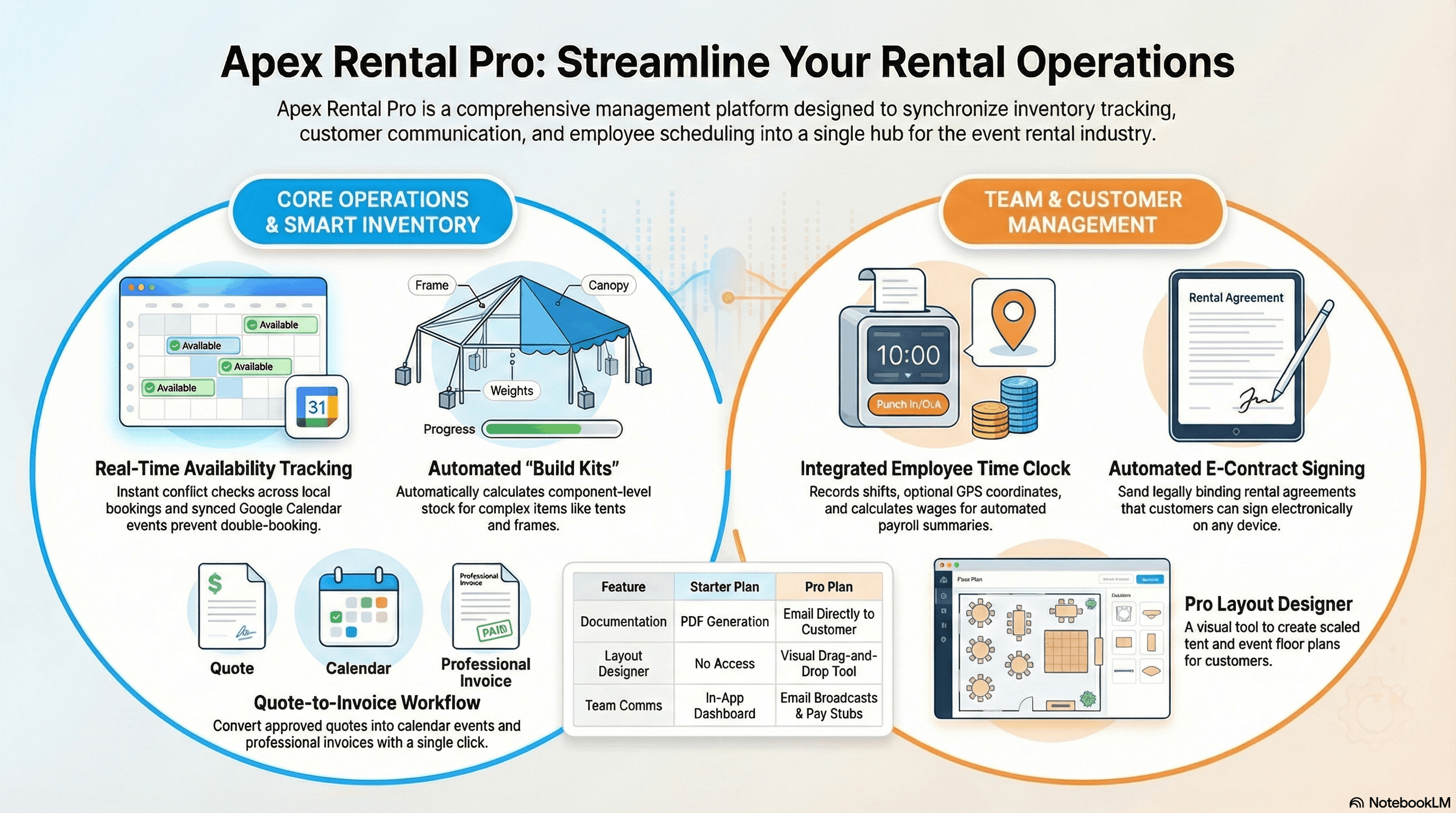
Watch the product overview on YouTube. For current controls and requirements, use the feature guides rather than relying on an older overview video.
News and references
- News & Updates, including clearly labeled historical release notes.
- Privacy Policy
- Terms of Service
- YouTube